
Aesthetic Font Generator
Categories
Use jump buttons to explore aesthetic font categories.
Generated Aesthetic Fonts
Showing aesthetic fonts
Introduction
Type your text, pick a style, copy it, and paste it anywhere — your Instagram bio, a TikTok caption, a Discord name, a Pinterest board. This Aesthetic Font Generator turns plain text into 100 styled versions across 10 categories, from soft and dreamy to dark academia to Y2K. One honest thing worth knowing up front: these aren’t downloadable fonts. They’re special text characters, built into Unicode, that already look styled. That’s exactly why you can copy and paste them anywhere text is allowed, instead of installing anything.
What Are Aesthetic Fonts, Really?
Aesthetic fonts are sets of Unicode characters — often called aesthetic text styles or aesthetic text fonts — that look like a styled alphabet, the same basic idea behind any aesthetic text generator you’ll come across online. Unicode is the character system every phone, app, and website uses to display text — it includes the letters you’re reading now, emoji, and thousands of other symbols, including several sets that resemble bold, italic, script, or decorative letters. Most of the styled letters here come from a specific Unicode block called Mathematical Alphanumeric Symbols — for example, a styled “A” might have the code point U+1D400, a completely separate character from the plain “A” you’d type on a keyboard. When you type “A,” the generator swaps it for that different, unique character — for example, 𝓐 or 𝔸. You’re not applying a font. You’re picking a different letter that happens to look styled.
This matters for one practical reason: because each styled letter is its own character, not a font applied to a normal letter, you can copy it and it keeps its look wherever you paste it. A real font only displays correctly if the app or website you’re using has that font installed. Unicode characters carry their look with them.
Aesthetic Fonts vs. Regular Fonts — What’s Actually Different
A regular font, like Arial or Times New Roman, is a set of instructions telling a device how to draw the standard alphabet. It only works if the software reading your text has that font available. Aesthetic fonts skip that requirement entirely. Each styled letter is a distinct Unicode character, already built into virtually every device on Earth, so it shows up the same way in a text message, an Instagram bio, or a Discord chat — no font installation needed.
Aesthetic vs. Cute vs. Fancy vs. Cursive — How to Tell Them Apart
These four words get used interchangeably online, but they usually point at different vibes:
| Term | Typical vibe | Best for | Example |
| Aesthetic | Soft, curated, mood-based | Instagram bios, mood boards | ᥫ᭡ Aesthetic Font ᥫ᭡ |
| Cute | Playful, kawaii-leaning | TikTok, casual captions | ° Aesthetic Font ° |
| Fancy | Decorative, elaborate | Standing out, gaming names | ꧁Aesthetic Font꧂ |
| Cursive | Handwriting-style, elegant | Quotes, personal branding | 𝓐𝓮𝓼𝓽𝓱𝓮𝓽𝓲𝓬 𝓕𝓸𝓷𝓽 |
There’s real overlap — a cursive style can also read as aesthetic, and a cute style can also read as fancy. You’ll also see these grouped under broader labels like stylish font, cool text, or a general names generator — different names for the same basic idea: Unicode characters styled to look decorative. The categories below are organized by mood rather than by technique, which tends to match how people actually search and pick a style.
How to Use the Aesthetic Font Generator
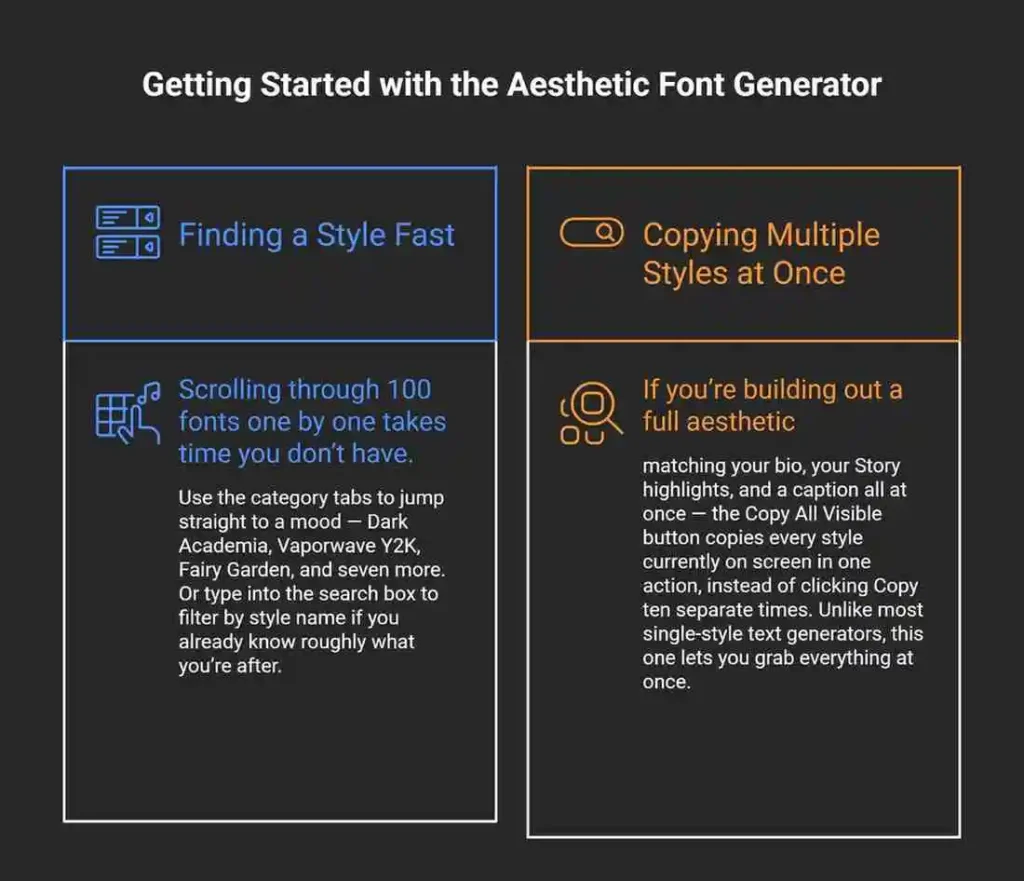
Type your text into the box at the top. Every one of the 100 styles updates to show your text in that style. Pick the one you like, tap the Click to Copy button, and paste it wherever you’re posting. That’s the whole process — no account, no download, no waiting. Copy & Paste takes about ten seconds start to finish.
Browse Every Aesthetic Font Category
Each category in this aesthetic style generator groups styles around a specific mood, so you can go straight to the one that matches what you’re building.
Best Aesthetic Fonts
A general-purpose set covering the most popular, broadly flattering styles — a good starting point if you’re not sure which specific vibe you want yet, and a solid pick if you just want something unique without committing to one theme.
Dream Aura
Soft, hazy, dreamlike styles built for captions about rest, calm mornings, or slow living.
Celestial Mood
Star, moon, and astrology-inspired styles, often paired with aesthetic symbols like ☾ and ⋆ — a natural fit for astrology content or a nighttime aesthetic.
Soft Sparkle
Gentle, kawaii-adjacent styles with small decorative touches — soft girl aesthetic territory.
Dark Academia
Old-paper, scholarly styles that lean into ink, candlelight, and vintage-library imagery — popular for book-focused or moody, intellectual profiles.
Cottage Bloom
Cottagecore styles built around flowers, mushrooms, and countryside imagery.
Vaporwave Y2K
Retro-digital, early-internet styles pulling from 2000s tech nostalgia — glitchy, neon, plastic.
Minimal Muse
Clean, understated styles for anyone who wants a subtle change, not a loud one — a good match for professional or minimalist profiles.
Fairy Garden
Whimsical, fairycore styles with small decorative elements like flowers, wings, and sparkles.
Premium Aesthetic
A separate tier of styles marked “Pro” within the tool. If a style in this set requires payment or an account to unlock, that will be clearly labeled on the card itself — nothing here is hidden behind a surprise paywall.
Where to Use Aesthetic Fonts
Support for styled text depends on the platform and, sometimes, on which specific field you’re pasting into. Every style in this Aesthetic Font Generator is plain Unicode text underneath, so how well it displays comes down to the platform and device, not the tool itself. Beyond social apps, plenty of people also use these styles for basic graphic design work — poster text, printables, or DIY invitations — anywhere plain Unicode text can be pasted into a design file.
| Platform | Bio | Caption/Post | Username | Notes |
| Yes | Yes | Limited | Some characters are blocked in the username/name field specifically | |
| TikTok | Yes | Yes | Limited | Same name-field restriction as Instagram |
| Discord | Yes | Yes | Yes | Widely supported, including nicknames |
| Twitter/X | Yes | Yes | Limited | Username field is more restrictive than bio or posts |
| Yes (status) | Yes | No usernames | Works in status and messages | |
| Yes | Yes | Limited | Similar restrictions to Instagram | |
| Yes | Yes | Limited | Best used in board descriptions and pins | |
| Limited | Limited | No | Works but reads as unprofessional in most business contexts — use sparingly, if at all | |
| Snapchat | Yes | Yes | Limited | Less consistent rendering than Instagram or TikTok |
| Yes | Yes | — | Works in most modern email clients, including Gmail, Outlook, and Apple Mail |
Instagram — Bio vs. Username
Instagram treats your bio and your name/username field differently. The bio field accepts styled Unicode text without issue. The username field is more restricted — Instagram filters out a number of decorative characters there, which is why a style that pastes perfectly into your bio might not paste at all into your username.
TikTok
TikTok behaves similarly to Instagram: styled text works well in your bio and captions, with more restrictions in the username field.
Discord and Gaming Usernames
Discord has the most permissive support of any major platform in this list — styled text generally works in nicknames, server names, and messages. Games with in-game name fields, including PUBG, Free Fire, Fortnite, Roblox, and Minecraft, vary by title; some accept styled Unicode freely, others restrict it to prevent impersonation or matchmaking issues.
LinkedIn and Professional Contexts
Styled text technically pastes into LinkedIn fields, but it reads as informal in a professional context. If you’re building a business or career-focused profile, plain text with occasional bold or italic emphasis (using LinkedIn’s own limited formatting where available) tends to land better than a fully styled headline.
WhatsApp, Twitter/X, Pinterest, Snapchat, and Email
These platforms all support styled text in posts, statuses, or messages, with the same general pattern as above: broader support in free-text fields, tighter restrictions in username or handle fields. Pinterest board descriptions and mood boards benefit especially from softer, more decorative styles, since the platform is inherently visual.
Will Aesthetic Fonts Work on Every Device?
Most styles from this aesthetic fonts generator work well, but not always — knowing why helps you pick ones that won’t break.
Why Some Fonts Show Up as Boxes or Question Marks
When a device doesn’t have the specific character set a style uses, it shows a placeholder instead — usually a small box, sometimes called “tofu” in font and software design, or a question mark. This isn’t a bug in the generator. It happens because the device’s software doesn’t include that particular range of Unicode characters. Simpler styles, like bold or italic, use character ranges that are supported almost everywhere. More decorative styles, especially ones combining multiple symbol sets, are more likely to hit an unsupported device.
Which Styles Are Safest? A Compatibility Reference
| Style type | Device compatibility | Why | Best used for |
| Bold, Italic | High | Uses widely supported Unicode ranges | Any platform, any device |
| Small Caps, Cursive | High | Long-established, broadly supported ranges | Bios, captions |
| Bubble, Square, Outline | Medium | Less common ranges; mostly fine on modern devices | Usernames, headlines |
| Combined symbol styles (hearts, stars, borders) | Medium to Lower | Mixes multiple character sets, raising the chance one isn’t supported | Decorative use, not essential text |
| Zalgo or heavily layered styles | Lower | Uses combining characters that some apps handle poorly | Novelty use only, not bios or usernames |
iPhone vs. Android
Both platforms support the vast majority of Unicode styles on any device made in roughly the last five to seven years. Real differences show up mostly on older hardware or outdated operating systems, not between iPhone and Android as a rule.
Has Instagram Blocked Certain Aesthetic Characters?
Yes, specifically in the username and display name fields. Instagram filters out a set of decorative Unicode characters there, likely to prevent impersonation and keep usernames searchable. Your bio and captions don’t have this same restriction, which is why the same styled text can work in one field and fail in another on the same platform.
Already Pasted Broken Text? Here’s How to Fix It
If your bio or post shows boxes or question marks after pasting, the fix is simple: go back to the generator, switch to a simpler style (Bold and Italic are the most reliable), copy it, and paste over the broken text. There’s nothing to repair on the platform’s end — you’re just swapping in a style built from a more widely supported character range.
Does Styling Your Text Affect Discoverability?
This is worth knowing before you style your entire profile: platform search doesn’t read styled Unicode text the same way it reads plain text.
Why Styled Text Isn’t Indexed by Platform Search
Instagram’s and TikTok’s internal search engines match plain-text keywords. A styled “𝒜” isn’t recognized as the same character as a plain “A” by these search systems, even though it looks similar to a human reader. If your name, username, or key search terms are fully styled, people searching for those exact words may not find your profile.
What to Keep in Plain Text vs. What to Style
Keep your username and any specific keywords you want to be found for — your name, your niche, your brand — in plain text. Save styled text for the decorative parts of your bio: a tagline, a mood, a favorite phrase.
Example:
- Searchable version: Jane Doe | Travel Photographer
- Fully styled version: 𝒥𝒶𝓃𝑒 𝒟𝑜𝑒 | 𝒯𝓇𝒶𝓋𝑒𝓁 𝒫𝒽𝑜𝓉𝑜𝑔𝓇𝒶𝓅𝒽𝑒𝓇
The second version looks distinctive, but someone searching “Jane Doe” or “travel photographer” on the platform is less likely to find it.
Character Limits and How Styled Text Counts
| Platform | Bio limit | Caption limit | Username limit |
| 150 characters | 2,200 characters | 30 characters | |
| TikTok | 80 characters | 2,200 characters | 24 characters |
| Twitter/X | 160 characters | 280 characters | 15 characters |
| Discord | — | — | 32 characters |
Why Styled Text Can Eat Your Character Limit Faster Than It Looks
Most styled Unicode characters count as a single character toward a platform’s limit, the same as a regular letter. But some styles — particularly ones combining a base letter with an extra symbol, like combining accents or layered decorative marks — can count as two or more characters even though they display as one visual symbol. If your styled bio hits the limit sooner than you expected, this is usually why. If you’re right at the edge of a limit, a simpler style (Bold, Italic, Small Caps) is less likely to cause this issue than a heavily decorated one.
Is It Safe to Use Aesthetic Fonts?
Will My Account Get Flagged or Banned?
No. Aesthetic fonts are standard Unicode text, the same category of character as emoji. Platforms display them the same way they display any other text you type — there’s no special code, script, or workaround involved, so there’s nothing here that would trigger a platform’s spam or abuse systems.
Free vs. Premium Styles on This Generator
All 90 styles across the first nine categories are free, with no account or download required. The Premium Aesthetic category is a separate, marked tier — any style there that requires payment or sign-in is labeled clearly on the card, so you’ll never copy something you expected to be free and find out otherwise afterward.
Accessibility: What to Know Before You Style Everything
Before you style everything using an aesthetic text generator like this one, it’s worth understanding how screen readers handle the result.
How Screen Readers Handle Styled Unicode Text
Screen readers, used by people with visual impairments, often read styled Unicode characters incorrectly or skip them entirely, because each styled letter is technically a different character than the standard alphabet the screen reader is built to recognize. A heavily styled sentence can come out as garbled or silent to someone relying on assistive technology.
When to Avoid Decorative Fonts
If you’re running a business account, a professional profile, or anything where accessibility matters — which, realistically, is most public-facing content — keep essential information (contact details, key offers, important instructions) in plain text. This lines up with the Web Content Accessibility Guidelines (WCAG), the standard most accessibility audits are measured against, which call for text to remain readable by assistive technology. Save styled text for decoration: a tagline, an emoji-adjacent flourish, a mood-setting phrase that isn’t carrying critical information.
Aesthetic Bio and Caption Examples
Think of the examples below as aesthetic bio templates — ready to copy directly, or use as a starting point for stylish names, captions, or usernames of your own.
Soft Aesthetic Bio
˚ ༘✿ jane ⋆。˚ soft days & slow mornings
Dark Academia Bio
ꕥ book hoarder. ink-stained. always reading.
Gaming Username
ᴢᴇɴᴏ
Cottagecore Caption
𖤐 tea, garden dirt, and homemade bread today 🌿
Vaporwave Y2K Bio
[ x.x ] 90s kid trapped in a 2026 body
Minimal Muse Bio
‹jane› quiet routines, clean lines
Fairy Garden Caption
⋆ moss, wildflowers, and a little bit of magic ⋆
How to Choose the Right Aesthetic Style for You
Whichever font aesthetic you’re going for, start with where the text is going, not just what looks nice. A username needs a style that survives platform filtering and stays short. A bio has more room to be decorative, since it isn’t as tightly restricted. A caption benefits from restraint — style one phrase or hook, and leave the rest in plain text, since fully styled paragraphs are harder to read while scrolling.
This aesthetic font maker lets you compare a few options side by side before you commit to one. If you’re not sure which mood fits, start with Best Aesthetic Fonts for something broadly usable, or jump to a specific category — Dark Academia, Cottage Bloom, Vaporwave Y2K — if you already know the vibe you’re going for.
Frequently Asked Questions
Is this tool free to use?
Yes, for 90 of the 100 styles across nine categories. The Premium Aesthetic category is clearly marked separately.
Do I need to download anything or sign up?
No. The generator works directly in your browser, and copying a style requires no account.
Can I use these fonts on Instagram, TikTok, and Discord?
Yes, in bios, captions, and posts on all three. Username fields on Instagram and TikTok are more restricted than bios.
Can I type these fonts directly on my keyboard, or do I always need to copy and paste?
You always need to copy and paste, or type your text into the generator first. Standard keyboards don’t have these characters built in — the generator is what maps your regular letters to their styled Unicode equivalents.
Can I use aesthetic fonts in my username, or only my bio?
Both are technically possible, but usernames on Instagram and TikTok filter out more characters than bios do. Test a style in your username field before committing to it there — this aesthetic text generator updates the preview instantly, so you’ll know before you paste.
What’s the most popular aesthetic font style right now?
Soft, minimal styles from categories like Dream Aura and Minimal Muse see the most consistent use across Instagram bios, though Dark Academia and Vaporwave Y2K remain popular for more specific niches.
Can I style numbers and symbols, not just letters?
Yes. Most categories style numbers, punctuation, and common symbols along with letters, so your full text — including dates, ages, or countdowns — converts consistently. This is sometimes searched as “aesthetic fonts 123.”
Will using aesthetic fonts get my account flagged or banned?
No — see “Will My Account Get Flagged or Banned?” above for the full explanation. In short, these are ordinary Unicode characters, the same type as an emoji.
Can I mix different font styles together in one line?
Yes, though it’s worth testing readability first — combining two or three heavily decorative styles in one line can be harder to read than picking one consistent style.
Are aesthetic fonts accessible for screen readers?
Not reliably. Screen readers often misread or skip styled Unicode text, so keep essential information in plain text and reserve styled text for decoration.
If I use a decorative font in my Discord or gaming username, could it get rejected or reset by the platform?
Discord itself rarely rejects styled nicknames. Individual games with their own username systems vary — some allow it freely, others restrict it to prevent impersonation or matchmaking problems, so check the specific game if you’re unsure.
What do people also call this kind of tool?
This kind of tool shows up under a lot of different names. You might see it called a stylish fonts generator, aesthetics font generator, aesthetic font generators, aesthetic font gen, font generator aesthetic, or fonts generator aesthetic — all minor word-order variations of the same idea. Some people search for a broader names generator or text generators tool, an online convert for turning plain text into styled text, or just call it cool text or a font maker. Spanish-speaking users often search “letras aesthetic” instead. Whatever term brought you here, it’s the same tool: type your text, pick a style, copy it, done.
Whenever you’re ready for your next bio refresh, this Aesthetic Font Generator is right here — no sign-up, no waiting, just type, pick a style, and copy it over.
## Related Tools
- Fancy Text Generator — for a much larger catalog of 358 styles, including gaming, flag, and glitch text beyond the aesthetic aesthetic.
- Cute Font Generator — for kawaii, playful styles with hearts and kaomoji, a softer alternative to the moodier aesthetic categories.
- Bold Font Generator — for punchy, high-contrast styles built specifically for gaming usernames and profiles.
- Instagram Font Generator — for styles organized by Instagram-specific use case, like Reels and Stories.
- TikTok Bio Generator — for ready-made bios that fit TikTok’s 80-character limit.
- Social Media Bio Generator — for pre-written bios across Instagram, TikTok, X, and Facebook.